Checklist2-page PDF
Web app testing checklist
Everything to check on a web page or feature, from forms to payments. Tick as you go; your ticks stay saved in this browser.
0 of 0 checked
Before you start
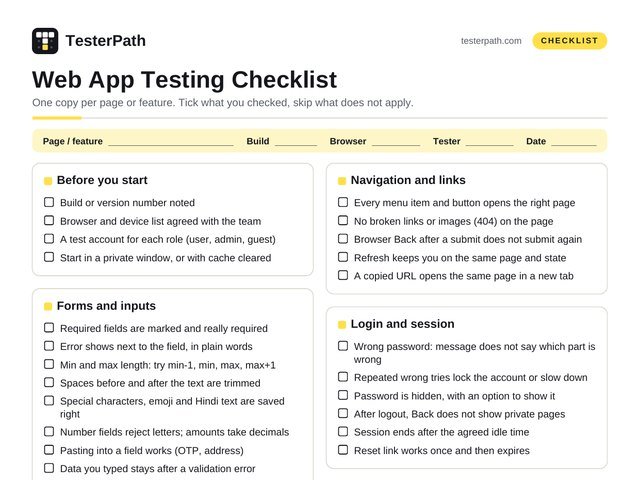
- Build or version number noted
- Browser and device list agreed with the team
- A test account for each role (user, admin, guest)
- Start in a private window, or with cache cleared
Forms and inputs
- Required fields are marked and really required
- Error shows next to the field, in plain words
- Min and max length: try min-1, min, max, max+1
- Spaces before and after the text are trimmed
- Special characters, emoji and Hindi text are saved right
- Number fields reject letters; amounts take decimals
- Pasting into a field works (OTP, address)
- Data you typed stays after a validation error
- Double click on Submit creates only one record
- Tab moves through fields in a sensible order
Dates and files
- Date picker: today, past, future, 29 Feb, 31st
- End date before start date is blocked
- Upload: allowed types only, size limit shown
- Empty 0 KB file and a very large file are handled
- Same file name uploaded twice does not overwrite
Emails, SMS and notifications
- Sent once, to the right person, at the right time
- No leftover placeholders like {{name}} in the text
- Links in the email open the right page
- Time shown in the user’s time zone
- Unsubscribe works and is respected
Login and session
- Wrong password: message does not say which part is wrong
- Repeated wrong tries lock the account or slow down
- Password is hidden, with an option to show it
- After logout, Back does not show private pages
- Session ends after the agreed idle time
- Reset link works once and then expires
Search, lists and tables
- No results: a helpful empty message, not a blank page
- Search with spaces, symbols and part of a word
- Sort and filters give the right order and count
- Pagination: first, last and middle pages
Two tabs, two devices
- Change in one tab shows in the other after refresh
- Logout in one tab logs out the other tab too
- Two users edit the same record: no silent overwrite
Browser features
- Autofill puts saved details in the right fields
- Page works at 80% and 150% browser zoom
- Print view is readable (invoices, tickets)
- Still works after clearing cookies and cache
Look and content
- No spelling mistakes; labels match the design
- Long names and long text do not break the layout
- Loading spinner shows for slow actions
- Each page has its own title in the browser tab
- Error pages (404, 500) are friendly and branded
Mobile and tablet layout
- Check at 360, 768 and 1280 px width
- No sideways scrolling on a phone
- Menu, popups and tables usable on a small screen
- Buttons are big enough to tap with a thumb
- Text stays readable when zoomed to 200%
Cross-browser
- Latest Chrome, Edge, Firefox and Safari
- Safari on a real iPhone, Chrome on a real Android
- Date, file and dropdown fields look and work right
Before you say “done”
- Fixed bugs retested, and the area around them too
- Every bug logged with steps, screenshot and build
- Anything you could not test is listed, with the reason
- Your notes saved where the team can find them
Practise this checklist on
saucedemo.com: login, cart and checkout
automationexercise.com: a full shop with forms
the-internet.herokuapp.com: tricky elements, one per page
practice.expandtesting.com: forms, uploads, tables
demoblaze.com: a small shop with a fake payment
Accessibility basics
- Every action works with the keyboard alone
- You can always see which element has focus
- Each input has a label a screen reader can read
- Images that carry meaning have alt text
- Text contrast is at least 4.5 : 1 (WCAG AA)
- Error messages are not shown by colour alone
Speed basics
- Page loads in a few seconds on Slow 4G (DevTools)
- No red errors in the DevTools Console
- Images are not much bigger than they display
- Lighthouse report run and scores noted
Security basics
- Site runs on HTTPS; no mixed-content warnings
- Changing an ID in the URL never shows another user’s data
<script>alert(1)</script>in a field shows as plain text- No passwords, tokens or OTPs in the URL
- Error pages show no code, SQL or file paths
Payments (if the app takes money)
- Success, failure, cancel and pending all handled
- Amount, tax, discount and currency are right
- Refresh or Back during payment does not charge twice
- Order status updates after the payment result
- Refund flow works and the amount matches
- Only test cards or test UPI IDs. Never real money
Tools
- DevTools (F12): console, network and device mode
- Lighthouse: speed and accessibility scores
- axe DevTools: a free accessibility scan
- Real phones: emulators miss some bugs