TemplateWord · 4 pages
Test plan template
A short test plan for one release: scope, approach, environments, entry and exit criteria, risks and sign-off. Each section has a hint and an example.
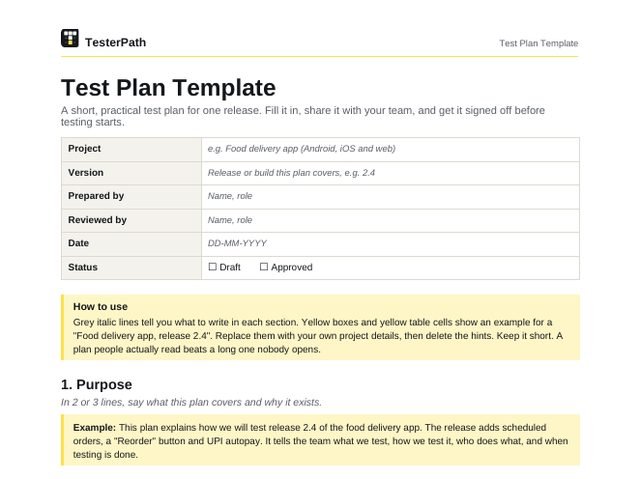
How to use this template. Grey italic lines tell you what to write in each section. Yellow boxes and yellow table cells show an example for a “Food delivery app, release 2.4”. Replace them with your own project details, then delete the hints. Keep it short. A plan people actually read beats a long one nobody opens.
Details at the top of the document
| Project | e.g. Food delivery app (Android, iOS and web) |
|---|---|
| Version | Release or build this plan covers, e.g. 2.4 |
| Prepared by | Name, role |
| Reviewed by | Name, role |
| Date | DD-MM-YYYY |
| Status | Draft Approved |
1. Purpose
In 2 or 3 lines, say what this plan covers and why it exists.
Example: This plan explains how we will test release 2.4 of the food delivery app. The release adds scheduled orders, a “Reorder” button and UPI autopay. It tells the team what we test, how we test it, who does what, and when testing is done.
2. Scope
List what you will test and what you will not test. For each out of scope item, give a reason.
In scope
| Feature / module | What we will check |
|---|---|
| Scheduled orders | Pick a delivery slot, edit it, cancel it, reminder notification |
| Reorder button | Reorder from order history, item out of stock, restaurant closed |
| UPI autopay | Set up, pay, payment failure, cancel autopay |
Out of scope
| Feature / module | Reason |
|---|---|
| Restaurant partner app | Separate release, tested by the partner app team |
| Full load testing | Planned for release 2.5. Only a performance smoke check in this release. |
3. Test approach
For each type of testing, say what you will do and how (manual or automated, and which tool). Remove types you will not run.
| Type of testing | What we will do | How |
|---|---|---|
| Functional | Test new features against user stories. Positive and negative cases. | Manual, test cases in Excel or TestRail |
| Regression | Check that login, search, cart, payment and order tracking still work | Automated suite (Selenium) plus manual smoke test |
| API | Order, slot and payment APIs: status codes, response fields, error messages | Postman collection |
| UI | Layout, text, buttons and images on small and large screens | Manual, compared with Figma designs |
| Compatibility | Android 12 to 15, iOS 17 and 18, Chrome and Safari on web | Real devices plus BrowserStack |
| Performance smoke | Menu load time and checkout response on a normal 4G connection | Basic JMeter run, results compared with release 2.3 |
| Exploratory | Short time-boxed sessions on the new features | Manual, notes in a session sheet |
4. Test environment
Where will you test? Give the URL or build, the browsers and devices, and where test data comes from.
| Environment | URL / build | Browsers / devices | Test data source |
|---|---|---|---|
| QA | qa.fooddelivery.example.com, Android build 2.4.0-qa | Chrome, Firefox, Pixel 7 (Android 14), iPhone 13 (iOS 18) | Seed script with test users and test restaurants |
| Staging | staging.fooddelivery.example.com | Same as QA, plus Safari | Masked copy of production data |
5. Entry criteria
When can testing start? Write clear conditions that anyone can check.
Example:
- Build 2.4 is deployed on QA and the smoke test passed.
- User stories and acceptance criteria are final.
- Test cases are written and reviewed.
- Test accounts, test restaurants and payment sandbox are ready.
6. Exit criteria
When can testing stop? Use points that can be measured, not feelings.
Example:
- All planned test cases are run, and results are recorded.
- No open Critical or Major bugs.
- Open Minor and Trivial bugs are reviewed and accepted by the product owner.
- Regression suite passed on the final build.
- Test summary report is shared with the team.
7. Roles and responsibilities
Who does what? Add a name for each role. Change the duties to match your team.
| Name | Role | Responsibilities |
|---|---|---|
| QA lead | Writes this plan, reviews test cases, shares daily status, gives QA sign-off | |
| QA engineer | Writes and runs test cases, logs bugs, retests fixes | |
| Developer | Fixes bugs, shares build notes, helps with test data | |
| Product owner | Answers requirement questions, accepts known issues, final sign-off |
8. Schedule
List the main milestones with dates and an owner. Keep some buffer before the release date.
| Milestone | Start | End | Owner |
|---|---|---|---|
| Test planning and test case writing | 02-11-2026 | 06-11-2026 | QA lead |
| Test execution, cycle 1 | 09-11-2026 | 13-11-2026 | QA team |
| Bug fixing and retest | 16-11-2026 | 18-11-2026 | Dev and QA |
| Regression on final build | 19-11-2026 | 20-11-2026 | QA team |
| Test summary and sign-off | 23-11-2026 | 23-11-2026 | QA lead, product owner |
9. Risks and how we handle them
What could stop or slow down testing? For each risk, write the impact and what you will do about it.
| Risk | Impact | How we handle it |
|---|---|---|
| Build reaches QA late | Less time to test | Test high risk features first. Agree a cut-off date for new changes. |
| Payment sandbox is down | UPI autopay cannot be tested | Keep mock responses ready. Book a fixed test slot with the payment team. |
| Not enough real devices | Device specific bugs are missed | Use BrowserStack for extra devices. |
| Requirements change mid cycle | Test cases go out of date | Freeze scope after sprint planning. Update test cases the same day. |
10. Deliverables
What will QA hand over, and when? Link to where each item is stored.
| Deliverable | What it contains | When |
|---|---|---|
| Test plan | This document | Before testing starts |
| Test cases | Steps, test data and expected results, linked to user stories | Before execution |
| Bug reports | One report per bug, using the TesterPath bug report template | During execution |
| Daily status | Cases run, passed, failed and blocked, plus top open bugs | Every day of execution |
| Test summary report | What was tested, results, open bugs, go or no-go advice | End of testing |
11. Defect process
Say how bugs move from “found” to “closed”, which tool you use, and how severity is set.
Bug life cycle: New → Open → Fixed → Retest → Closed. If the retest fails, the bug goes to Reopened and back to the developer.
Example: Bugs are logged in Jira. A short triage call happens every day at 11 am to set priority and owner.
| Severity | Meaning | Example from the food app |
|---|---|---|
| Critical | Crash, data loss, or a main flow is blocked. No workaround. | Payment is taken but the order is not created |
| Major | A key feature works wrong, but there is a workaround. | Reorder adds the wrong item size. User can fix the cart by hand. |
| Minor | Small problem. The feature still works. | Scheduled time shows in 24-hour format on one screen |
| Trivial | Looks only, like a typo or spacing issue. | Spelling mistake on the offers banner |
12. Sign-off
The people below agree that testing is complete and the release can go ahead.
| Name | Role | Date | Signature |
|---|---|---|---|
| QA lead | |||
| Development lead | |||
| Product owner |